
You already have great food. You probably have regulars. But if your restaurant doesn't have a website that takes online orders, you're leaving serious money on the table — and handing it to your competitors.
In 2026, customers don't call to order. They open their phone, find a place, browse the menu, pay in 30 seconds, and move on. If your website can't do that, they move on to someone else's website.
This guide walks you through everything you need to know to build a restaurant website that actually works — one that looks good, loads fast, and converts visitors into paying customers. No fluff, no generic advice. Just what works.
Why Most Restaurant Websites Fail at Online Ordering
Before we get into what to build, let's talk about what most restaurants get wrong.
The typical restaurant website is either a PDF menu embedded in a page from 2018, or a bloated third-party platform that takes 25–30% of every order. Neither is good. The first one frustrates customers. The second one quietly eats your margins.
The restaurants that win online have one thing in common: they own their ordering experience. Their website is fast, their menu is clear, and the checkout process takes under a minute. Customers come back because it's easy — not because there were no other options.
The good news? Building something like this is no longer a six-figure project. With modern tools like React and Next.js, you can have a fully custom, high-performing restaurant website with real ordering functionality at a fraction of what it cost five years ago.
The 6 Pages Every Restaurant Website Needs
Before thinking about code or design, start with structure. A restaurant website doesn't need to be complex — it needs to be clear. Here are the six pages that cover everything a customer needs to make a decision and place an order.
1. Homepage
Your homepage has one job: make people hungry and point them toward the menu. That means a strong hero image or video, a clear headline, your hours and location visible without scrolling, and a prominent "Order Now" button. Nothing more.
Avoid the common mistake of cramming your full story, your founding year, and your chef's biography onto the homepage. That's what the About page is for.
2. Menu Page
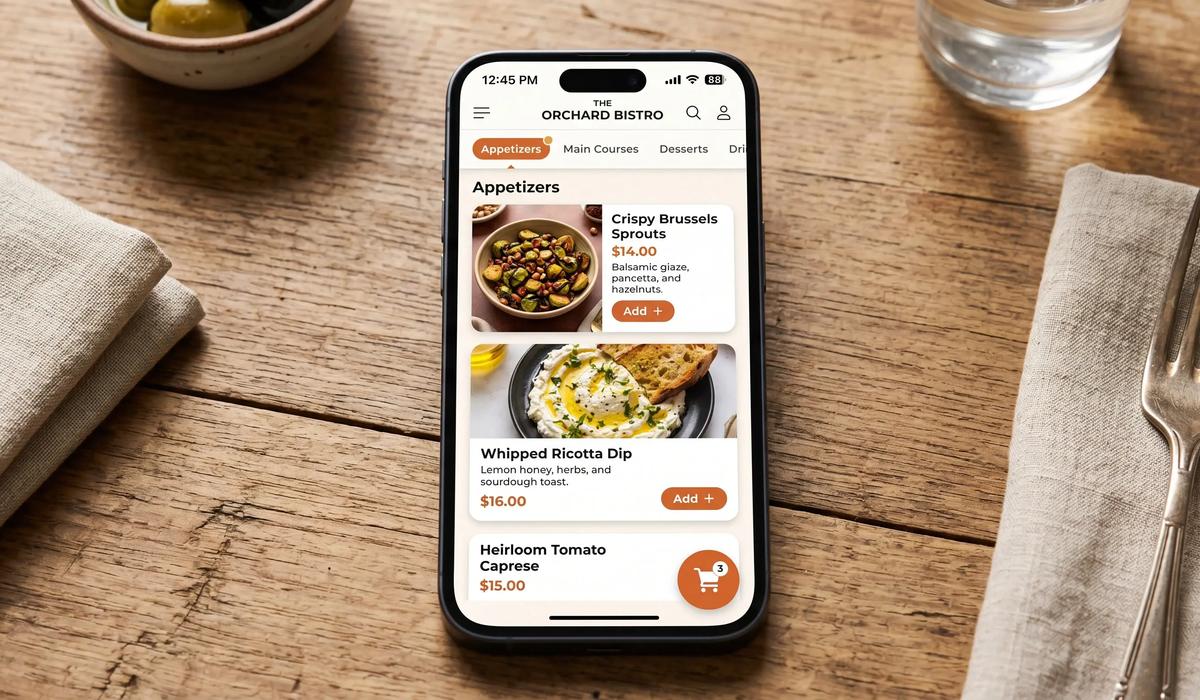
This is the most important page on your site. If the menu is hard to navigate, customers leave. Your menu page needs:
- Clear categories (starters, mains, desserts, drinks)
- Real photos — ideally your own, not stock
- Prices visible without hovering or clicking
- Dietary labels (vegan, gluten-free, spicy) where relevant
- A direct path from "I want this" to "it's in my cart"
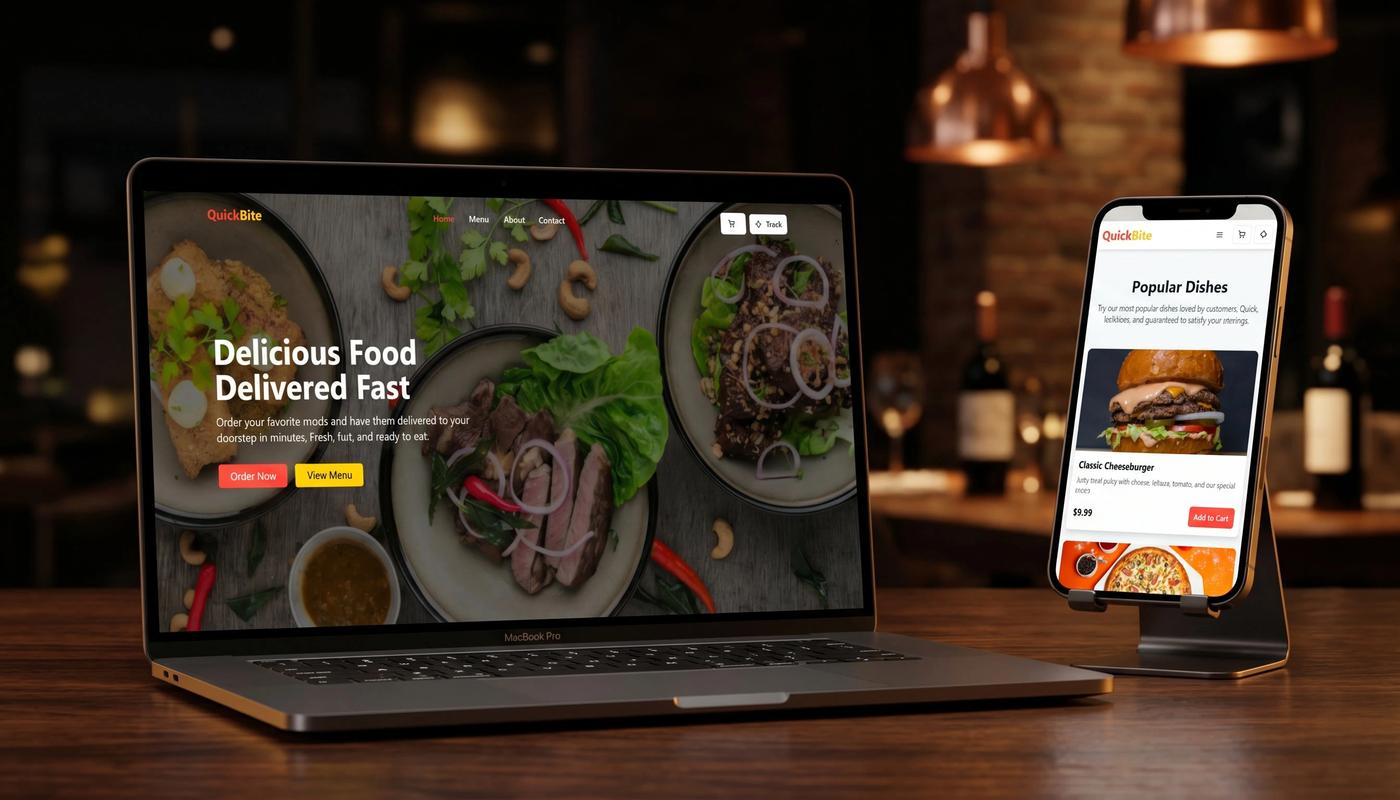
If you're building with React, a dynamic menu component that filters by category and updates the cart in real time is not complicated — and it changes the experience completely. We built exactly this for Quick Bite, a fast food client, and the difference in time-to-order was significant.
3. Online Ordering / Cart Page
This is where most restaurant websites fall apart. The ordering page needs to be frictionless. Every extra click, every form field that doesn't need to be there, every page load between "add to cart" and "confirm order" — each one costs you conversions.
The ideal ordering flow looks like this:
Customer browses menu and adds items
Cart updates instantly (no page reload)
One page for delivery details
One page for payment
Confirmation with estimated time
That's it. Five steps. If your flow has more than that, you're losing orders.
4. About Page
People eat at restaurants they trust. Your About page builds that trust. Keep it personal — who you are, where you're from, what makes your food different. A photo of the kitchen or the team goes a long way.
This page also matters for local SEO optimization — it's a natural place to mention your location, your cuisine type, and your story in a way that's useful for search engines without feeling forced.
5. Contact & Location Page
Include your address (with a map embed), phone number, email, and opening hours. If you take reservations, the booking form goes here. Make sure this page is indexed and that your address matches exactly what's in your Google Business Profile.
6. Order Confirmation / Thank You Page
Most restaurants ignore this page. That's a mistake. The confirmation page is your best opportunity to build loyalty. Thank the customer, show a clear summary of their order, give them a realistic delivery time, and — if you have one — invite them to follow you or join a newsletter.
Must-Have Features for Online Ordering
A good-looking menu isn't enough. Here's what your ordering system actually needs to work properly.
Real-time cart updates. When a customer adds or removes an item, the cart should update instantly. No page reloads. This is standard with React-based frontends and makes a measurable difference in completion rates.
Secure payment integration. Stripe and similar providers are the standard in 2026. Never store card data yourself. A proper integration handles payments, refunds, and receipts automatically.
Order status tracking. After paying, customers want to know what's happening. A simple status system — "Received → Preparing → On the way → Delivered" — reduces support calls and builds trust. We built this into the Quick Bite project and the restaurant saw a notable drop in "where's my order?" phone calls.
Mobile-first design. More than 70% of food orders happen on mobile. If your site isn't designed for a small screen first, you're designing for the minority. This isn't just about layout — it's about touch targets, loading speed, and keeping the checkout flow smooth on a 6-inch screen.
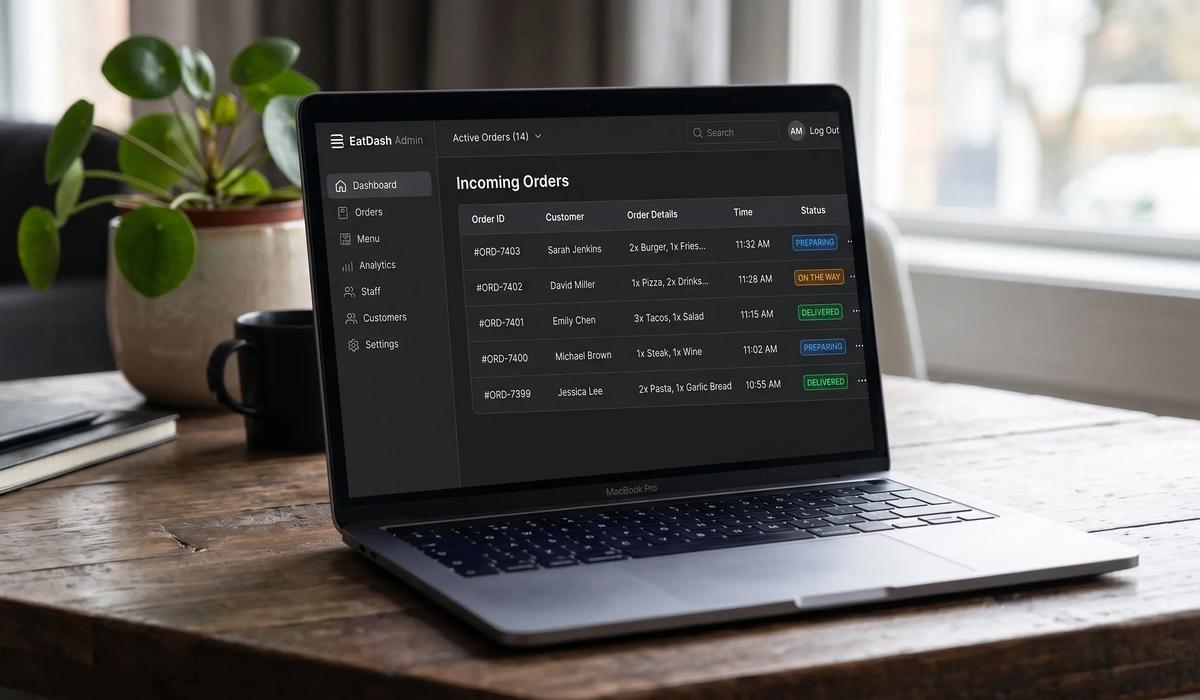
Admin panel for staff. Someone needs to see incoming orders, update statuses, and manage the menu without calling a developer. A lightweight admin panel — even a simple one — makes the difference between a website that works for you and one that creates more work.
Choosing the Right Tech Stack
You have options. Here's an honest breakdown.
Third-party platforms (Uber Eats, Deliveroo, etc.) are the fastest to set up but the most expensive to run long-term. The commission rates in 2026 still range from 20 to 35% per order. If you're doing volume, that adds up fast.
WordPress with plugins is affordable to start but often painful to maintain. Performance tends to suffer as plugins accumulate, and the ordering experience rarely feels native or smooth.
Custom React + Node.js requires more investment upfront but gives you full control over the experience, the data, and the costs. No commission, no platform dependency, no limits on what you can build. This is what we recommend for restaurants that are serious about their digital presence — and it's what we build at Bravix Creative.
Next.js specifically has become the standard for restaurant and hospitality websites because of its performance, SEO capabilities, and flexibility with both static and dynamic content. A properly built Next.js restaurant site will score well on Core Web Vitals, which directly affects how Google ranks you in local searches.
UI/UX Design Principles for Food Websites
Design for food is different from design for software. The goal is appetite, trust, and speed — in that order.
Use real photography. This is non-negotiable. Stock food photos look like stock food photos, and customers know it. Even a basic smartphone photo of your actual dishes, properly lit, performs better than generic imagery.
Keep the color palette tight. Food photography is already colorful. Your interface should be mostly neutral — whites, soft grays, one strong accent color — so the food stands out. Don't compete with your own menu.
Typography matters more than most restaurants realize. Clear, readable fonts at the right sizes build confidence. Thin decorative fonts might look elegant in print, but they're hard to read on a phone in a bright room.
Speed is a design decision. Every animation, every large image, every third-party script adds load time. A good UI/UX design process considers performance from the start — not as an afterthought. Customers abandon slow sites. Google penalizes them too.
Whitespace is not wasted space. Menu pages that try to show everything at once are overwhelming. Let the categories breathe. Give each item room. Customers make better decisions — and faster ones — when the page doesn't feel crowded.
A Real Example: What We Built for Quick Bite
When Quick Bite came to us, they had a basic website with a PDF menu and no online ordering. Customers were calling in orders or just not ordering at all outside of delivery app hours.
We built them a full ordering platform: a dynamic menu with categories and filters, a cart system that updates in real time, Stripe payment integration, live order tracking for customers, and a staff admin panel that shows incoming orders and lets the team update statuses without touching any code.
The result was a smooth, fast, mobile-first experience that felt like a proper product — not a bolt-on. Staff stopped getting "where's my order?" calls. The admin panel made managing the flow much simpler.
You can see the full project breakdown in our portfolio.
This is the kind of result that's possible when you treat the website as a core part of the business rather than just an online presence.
How Much Does a Restaurant Website Cost?
This is the question everyone asks and nobody answers honestly. Here's a real breakdown.
A basic informational site with a static menu and contact form: $500–$1,000. Fine for a small café that just needs a web presence, not suitable for real online ordering.
A site with online ordering, payment integration, and mobile-first design: $1,500–$3,000. This is where most full-service restaurants should be. At Bravix Creative, our Business plan starts at $1,499 and covers exactly this scope.
A full platform with custom admin panel, order tracking, analytics, and multi-location support: $3,000+. For restaurants with higher volume or specific operational needs.
The important calculation isn't what it costs to build — it's what it costs not to build. If you're paying a delivery platform 25% on every order, and you're doing $10,000/month through them, that's $2,500/month in commission. A $2,000 website pays for itself in less than a month.
Before You Launch: Technical Checklist
Whether you're building this yourself or working with a developer, make sure these are covered before going live.
Your site needs HTTPS — not optional in 2026. All payment flows must use a proper payment provider like Stripe, never custom card handling. Your menu, ordering pages, and location page need proper meta titles and descriptions for search engines. The site must load in under 3 seconds on mobile — test it with Google PageSpeed. Your Google Business Profile should be set up and the address must match your site exactly. Order confirmation emails need to be tested from a real customer perspective. And your admin panel needs at least one person trained to use it on day one.
If any of these aren't in place, fix them before launch. A slow, insecure, or unlisted restaurant website is worse than no website at all — it actively damages trust.
The Bottom Line
Building a restaurant website that takes online orders isn't just a technical project — it's a business decision. Done right, it reduces your dependence on third-party platforms, gives you more control over the customer experience, and creates a direct revenue channel that belongs entirely to you.
The technology to do this is more accessible than ever. What separates the restaurants that succeed online from those that don't isn't budget — it's whether they treat their website as a real product.
If you're ready to build something that actually works, get in touch. We've done this before and we know what it takes.
You may also like

Why Every Business Needs a Modern Website in 2026 to Stay Competitive Online
Modern websites are essential in 2026. Learn how web development, SEO, and performance impact your rankings, traffic, and business growth.

Landing Page Mistakes in 2026: The Critical Errors That Kill Conversions and SEO Traffic
Discover the biggest landing page mistakes in 2026 and learn how to improve SEO, user experience, and conversions with modern strategies.